
How to Find B-Roll Footage Without Losing an Afternoon to It
Most guides just list b-roll footage sites. That is not the problem. How editors find b-roll faster, the licence traps to watch, and what to do when the shot is missing.
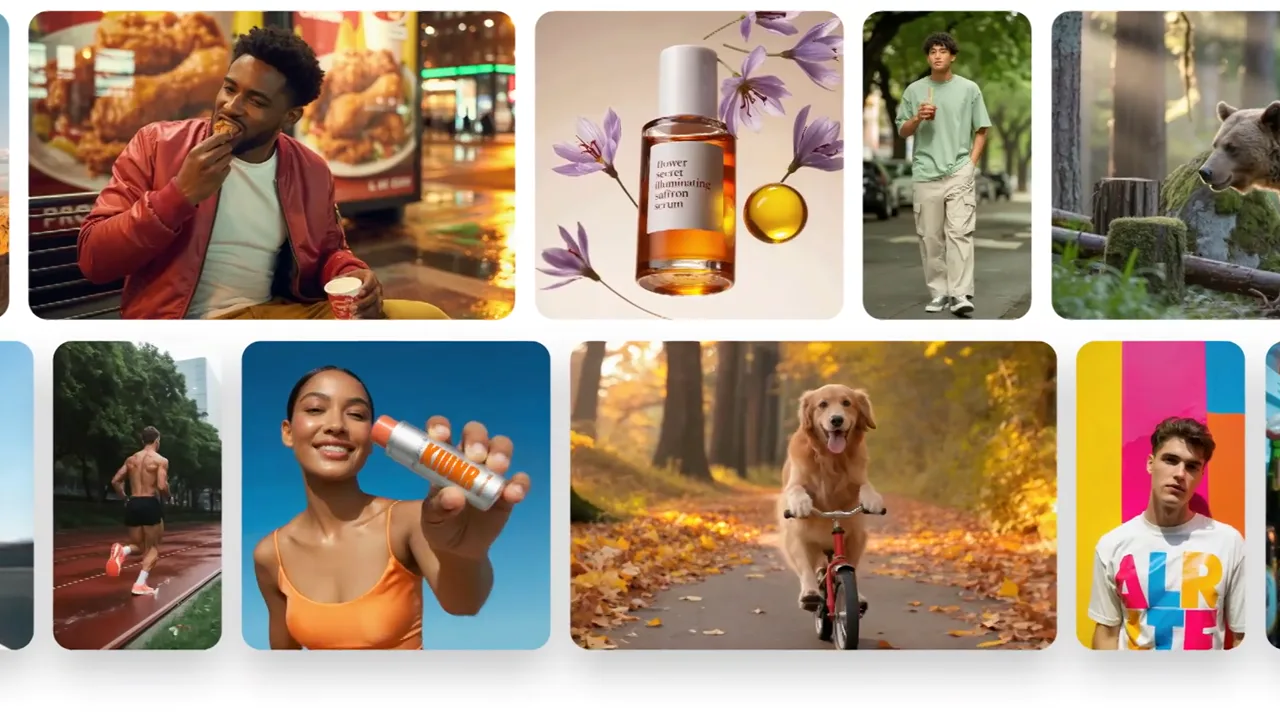
The short version. Searching for b-roll per section is the slowest way to work — every trip back to a library restarts the browsing loop, and browsing is where the hours go. Read the script once, list every b-roll shot you need as a plain noun, then source the whole list in a single pass and judge nothing until you are in the timeline. That fixes most of the wasted time. It does not fix the other half of the problem: the b-roll that no library happens to carry. For those shots, searching harder never works, and generating the b-roll is faster than hunting for it.
Why finding b-roll footage eats your afternoon
Ask in any editing community how long b-roll sourcing takes and the answers land in the same place. One creator cutting a 15-minute documentary put it plainly: even for a single one-minute section, finding b-roll that actually fit the narrative took hours. A post in r/NewTubers is titled, without exaggeration, 90% time wasted searching real clips.
The interesting part is not that b-roll takes long to find. It is why.
B-roll searching happens at the wrong moment
The most useful diagnosis I have seen came from a reply in that same thread: what kills you is searching per section instead of once. Every time you go back to a b-roll library you start browsing again — and browsing, not searching, is where the time disappears. You open a tab to find one shot of a city at night, and twenty minutes later you have watched forty clips and downloaded none.
B-roll footage sourcing is a batch task wearing the costume of a creative one. Treat it as creative and it expands to fill the afternoon.
You are not looking for b-roll — you are looking for one specific shot
This is the distinction most guides miss. Nobody types "b-roll footage" into a library and browses happily. They need a frustrated factory worker, hands closing a laptop in a dark office, an aerial over a coastline at dawn. One editor described trying exactly that — a frustrated factory worker — across Pexels, Pixabay and Freepik, then asking an AI search tool for help, and coming up empty.
B-roll footage libraries are indexed by subject. You are searching by intent. The gap between those two is the afternoon you lose.
Everyone is pulling b-roll from the same shelf
Free libraries solved access and created a new problem. As one editor put it while scrolling results: everything is drone footage. Another, sourcing home-improvement b-roll footage, kept hitting the same man in blue overalls and a matching hat — a person who dresses like nobody in the actual trade.
In 2026 this stopped being an aesthetic complaint. Creators now report that videos assembled from the obvious free b-roll footage libraries read as stock to viewers and to the algorithm — on short-form platforms in particular, both audiences recognise it fast. "Looks like stock" is no longer just a note from your art director. It is a distribution problem.
A faster way to source b-roll footage
Four steps. The point of all of them is to stop switching between b-roll sourcing mode and editing mode.
Step 1 — Lock the script, then list every b-roll shot as a plain noun
Do not open a library until the script or the interview edit is locked. Then read it once and write a flat b-roll list: city street, night / hands typing / coastline, aerial / coffee being poured. Plain nouns, no adjectives about mood yet. You will end up with twenty to forty lines for a ten-minute video.
This list is the whole trick. It converts an open-ended creative search into a shopping list.
Step 2 — Source the entire b-roll list in one pass, without judging
Work the list top to bottom in one sitting. Grab any b-roll that is reasonably close and move on. Do not preview carefully, do not compare two similar clips, do not think about whether a shot cuts well against the previous one. Judgement is the expensive part and it belongs later.
Editors who source b-roll this way describe the difference as going from an afternoon per video to roughly an hour.
Step 3 — Judge b-roll in the timeline, not in the browser
Drop everything into a bin, throw it on a track, and decide there. In context, with audio running, the right b-roll is obvious in three seconds — a judgement that takes three minutes in a grid of thumbnails.
Step 4 — Keep the b-roll you download
The most common advice from people who have solved this is also the least convenient: spend a concentrated week building your own labelled b-roll footage library, and stop re-sourcing the same generic shots for every video. It is a real week. It also compounds — a year in, most of your establishing b-roll comes from your own drive.
Where to actually find b-roll footage
No gatekeeping — here is the honest map.
Free b-roll footage. Pexels and Pixabay are genuinely good for generic coverage: skies, streets, hands, laptops, nature. Videvo and Mixkit are worth a look. The catch is not quality, it is overlap — you are drawing b-roll from the same well as everyone in your niche. Which ones are genuinely free with no watermark is its own list.
Subscription b-roll footage. Artgrid is repeatedly recommended for looking least like stock, and shoots in series, so you can build a small scene from one location. Filmpac lands in the same bracket. Envato Elements is the value pick — one editor's summary, "not great, not bad, but not great," is about right, and it bundles music and templates. Storyblocks is cheaper per month but people consistently describe its b-roll library as thinner.
Per-clip b-roll footage. Shutterstock, Getty, Pond5, Adobe Stock. Deep libraries, and painful pricing if you only need a handful of shots.
Archives. For anything historical, public-domain and institutional archives beat every commercial b-roll footage library, and they cost nothing. Badly underused.
The b-roll footage licence traps nobody warns you about
This is where budgets quietly break, and almost no guide covers it.
- Editorial-only b-roll footage. Fine for a documentary, not licensed for anything promotional. The restriction sits in the metadata, not on the download button.
- Extended licences for paid ads. Standard subscription licences frequently stop at organic use. The moment your video becomes an ad, the b-roll in it needs an upgrade.
- Seat and territory limits. Priced per user and per region, and easy to breach without noticing.
- Enterprise licensing. The one that hurts. Freelancers working for large clients have been pushed onto enterprise tiers — one team reported their company paying $15,000 for what looked like the same subscription.
- Free b-roll footage does not mean risk-free. A creator using a clip from a free library had their post blocked in several countries over a rights claim. CC0 is a promise from the uploader, and uploaders are sometimes wrong.
The practical takeaway: read the licence before the b-roll footage enters your timeline, not after the client asks about usage. And be honest about how per-clip licensing scales — for teams publishing weekly, licence admin becomes its own recurring cost. If the video is going on YouTube, claims and monetisation have their own rules.
When the b-roll you need does not exist
Everything above helps you find b-roll footage faster. None of it helps when the shot simply is not out there.
Every editor has lost an afternoon to b-roll that does not exist: a specific product on a specific surface, a niche process shot for a B2B explainer, an aerial over a landscape nobody bothered to film. Searching harder does not create the clip. At some point you are not sourcing any more, you are just refreshing.
That is the case a generator handles differently. ClipBee is an AI stock footage generator — you describe the b-roll you need in plain English and it renders original footage instead of returning the nearest match someone else already uploaded. Three situations where generating beats another hour of searching:
- The b-roll is in no library. If you can describe it, it can be generated — you are no longer limited to whatever a b-roll footage library happens to carry.
- You need b-roll nobody else has. Generated clips are made fresh from your prompt, so no competitor pulls the same file. That is a direct answer to the "reads as stock" problem above.
- You need vertical b-roll. Native 9:16 for Reels, Shorts and TikTok, rather than a landscape library clip cropped down and softened — why cropping costs you two thirds of the frame.
It is not a replacement for a good library — for generic b-roll, Pexels is free and instant. It is the tool for the half of your list that sourcing cannot close.
What to do next
For your next edit, change one thing: do not open a b-roll library until your shot list is written. That single change removes most of the browsing loop, and it costs nothing to try.
Then check the licence terms of whatever you are already subscribed to, specifically the paid-ad and enterprise clauses. Most people discover those at the worst possible moment.
And for the b-roll on your list that comes back empty after ten minutes — stop searching. Generate it instead and get back to the edit.
B-roll footage FAQ
Can you use b-roll footage commercially? It depends entirely on the licence, not on whether the b-roll was free. Free libraries generally grant commercial use under CC0-style terms, but editorial-only restrictions, paid-advertising limits and enterprise tiers all exist. Read the specific licence before the clip goes into a client project.
Will free b-roll get my video copyright-claimed? It can. Free-library licences are only as reliable as the uploader's rights, and creators do occasionally get claims or regional blocks on b-roll they downloaded legitimately. Keep a record of where each clip came from and the licence in force on the day you downloaded it — that record is what resolves a dispute.
Can a channel that uses stock b-roll still get monetised? Yes. Channels built largely on licensed b-roll are monetised regularly, provided the video is transformative — your own voiceover, script, edit and structure. The risk is not b-roll itself, it is uploading assembled clips with nothing added.
Who owns AI-generated b-roll? Commercial usage rights are granted by the tool you generate with, so check them — ClipBee includes commercial use on every clip, with no per-project licences and no attribution. Copyright registration for purely AI-generated work is a separate and unsettled question in several jurisdictions, which matters if you need to enforce exclusivity rather than simply use the b-roll.
How much b-roll does a video need? For interview and voiceover work, plan on covering roughly half your runtime. Shoot or source about three times the b-roll you think you need — experienced videographers report usable rates well under 50% when they arrive without a plan.